Css selectors
let's dive in to know more about selectors.

what are css selectors?
css selectors are super important part of css.
Everything that you do in css follows this basic pattern.
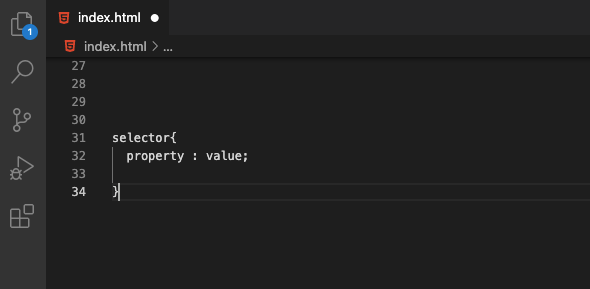
The first selector we are going to learn is the Universal selector
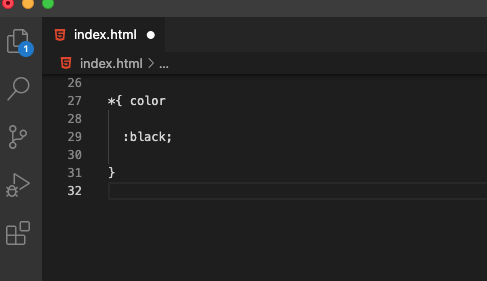
The universal selector selects all the elements in the page, including images.
The next selector we are going to take a look at is the element selector
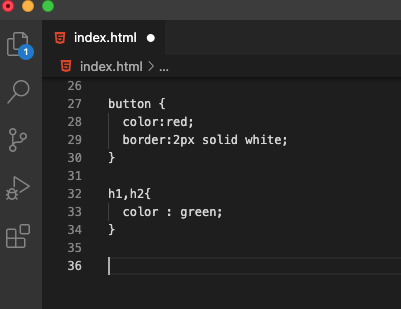
With the element selector, we can select a specific element, in the above example. we can see that we have selected a button element, and then also selected h1 and h2, we can separate them by a comma as to select multiple element selectors.
Now, we are going to see one of the common selectors in CSS called ID selector which is denoted by #
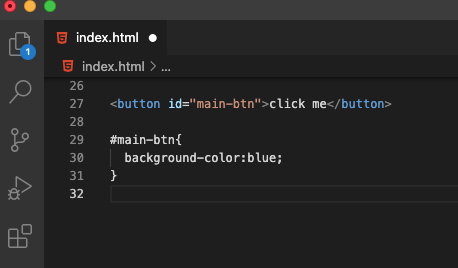
In the above example, we can see that we gave an ID to our button, and then targeted that id using # ,and set properties to it.
The other selector which we use apart from the ID selector is the class selector which is denoted by a dot .
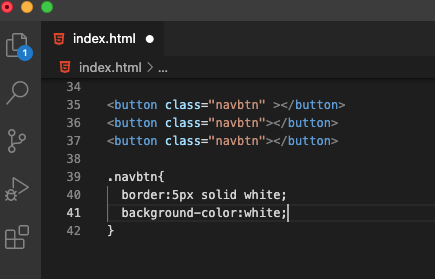
In the above example, we can see that we have multiple buttons with a class of navbtn, and we used the .navbtn to target the buttons and gave properties to change those specific buttons.
Now moving on to Descendant selector which we write using a space to select nested elements
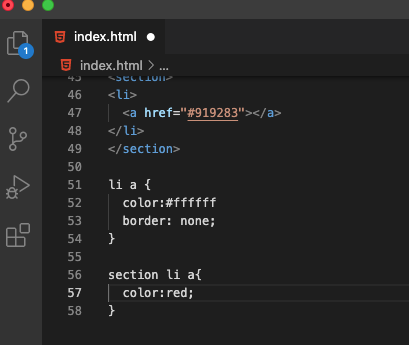
In the above example, we can see that we are selecting the anchor tag inside li, and in the second example , we can be more specific and say we want anchor tags which are nested in section, and then li , so that is descendant selector.
Moving forward, lets take a loot at adjacent selector, which follows the initial selector with a plus +
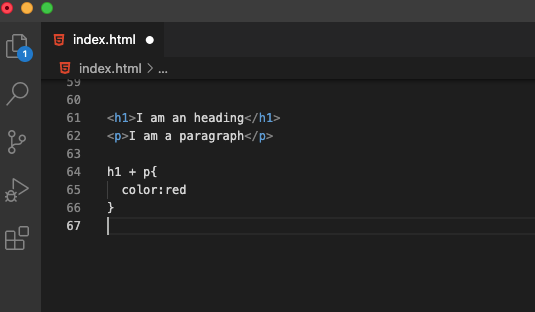
In the above example, the paragraph immediately next to the h1 is targeted and the color property is set to red.
Direct child descendant selector, which is denoted by the > sign, and this selects the immediate child which is one level down
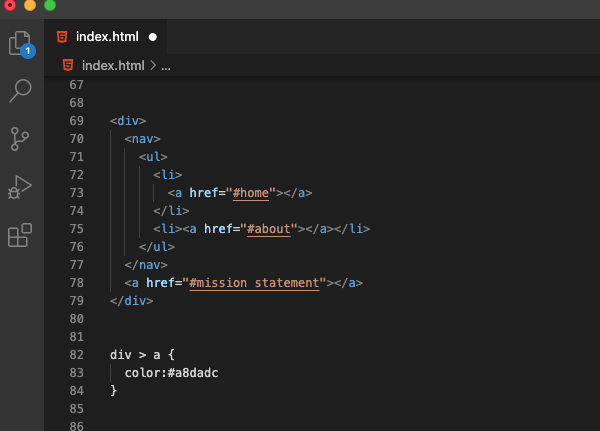
In the above example, we can see that we have a div, inside that div, we have a nav tag and then unordered list, and then li with anchor tags nested, and we also see one anchor tag which is not nested and is a direct child of the div. so by using the div > a, we are selecting that and setting properties to it.
Moving on, the attribute selector , and it selects all the elements with a specific attribute, let us take a look at an example
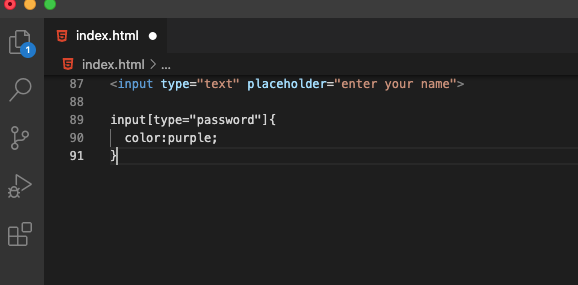
In the above example, we can see that we have an input with the type text, so in order to target input containing text, we use input[type = "text"], and what it does is select only the specific input with the attribute of text.
Next up, we are going to take a look at pseudo classes, and they are keywords added to a selector that specifies a special state of the selected elements. Let us take a look at the few of them here
:active
:checked
:first
:first-child
:hover
:not()
:nth-child()
:nth-of-type()
I have provided a link for you, to learn more about these pseudo selectors below, the link takes you to MDN documentation where you can learn about each individual selector mentioned above, and many more.
Now, let us take a look at pseudo elements, and pseudo elements are preceded by ::
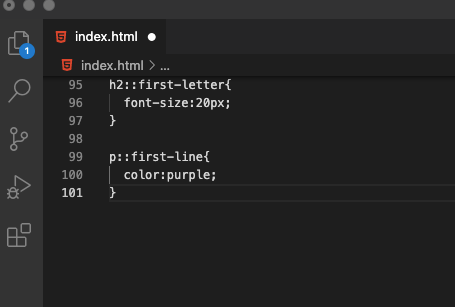
In the above example, we see that we have selected a heading element and then targeted the first letter of the heading using :: first-letter, and this will target only the first letter and change the colour of it, and in the second example, we have selected an entire paragraph and targeted the first line to change it's colour. These are few examples, for a complete list of pseudo elements, please refer the MDN documentation.
The CSS cascade
The order your styles are declared in and linked to matters, which means top of our styles to the bottom of the style sheet, lets take a look at two conflicting styles in the example below
h1, h2{
color:blue;
{

h1,h2{
color:yellow;
{
In the above example, the h1 and h2 will have a colour of yellow, as css will go top to bottom, first it will encounter blue and change it to blue, then it goes down and then changes the colour to yellow.
Specificity in CSS
Specificity is how the browser decides which rules to apply when multiple rules could apply to the same element. It is a measure of how specific a given selector is, the more specific selector wins.
inline styles are the most specific out of the all, so if you directly include the style in the html markup, it takes precedence over everything else, however this is avoided as it is not a good practice.
** there is an exception to this, when using the !important, it ignores all the rules of specificity, and it is a good practice not to use important when writing css unless it is to override external css from libraries.
ID is extremely specific and will win with class selector
class selector is specific and will win with elements
then comes the element selector
I will add a link to a page where you can calculate specificity
link to specificity calculator
inheritance in CSS
<body>
<h1>I am heading</h1>
<p>I am a paragraph</p>
</body>

body{
color:purple;
}
In the above example, if we run the code the h1 and the p will inherit the color purple of the parent which is the body, so unless we specify a particular property to an element, it inherits from it's closes parent element and that is inheritance.
Conclusion
CSS is really vast and the topics covered here are only the tip of the iceberg, so in order to get exposure to CSS, always keep practicing and use chrome dev tools in order to practice and experiment, I hope you like this blog and I wish you all the best in your css adventures.
About the author
I am a self taught developer, still in the process of learning, everyday there is something new to learn and do.
Comments
Join the discussionNo comments yet. Be the first to comment.

